A dedicated cash register module for cash & carry wholesalers
Share this article
A customer pushes a trolley to the checkout. The flowers need to move, the next customer is already waiting, and your staff shouldn't be tabbing between screens to get a single transaction done. At a busy cash & carry, the checkout is where the operation either holds together or falls apart.
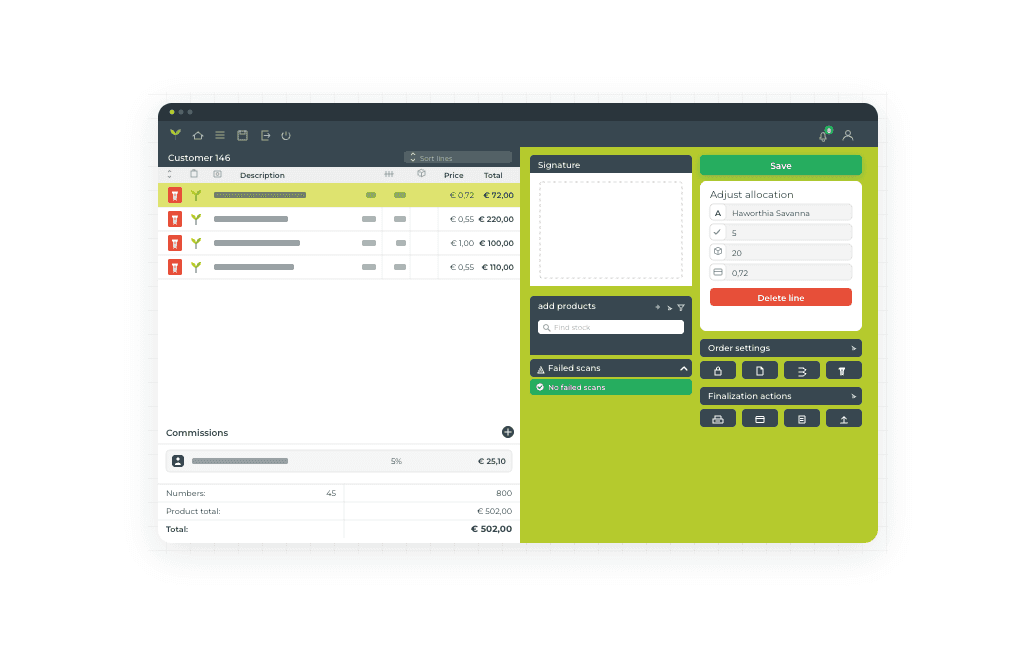
FreshPortal's Cash Register module gives your floor staff everything they need to handle a full transaction from a single browser screen, without switching.
How the checkout works
The flow is straightforward. Staff select a customer by name or number, open an existing order or start a new one, and scan items using a barcode scanner or enter them manually. Packaging and commissions are added to the order line. When the basket is complete, staff print or email the packing slip and invoice, then process payment: PIN, cash, credit card via a linked terminal, or automatic debit. Outstanding invoices or balances can be settled in the same transaction. The customer signs digitally on screen, and the order is done. The transaction is logged, the inventory updated, and the invoice posted.
A practical example
A customer arrives with a trolley of cut flowers. The staff member scans the lots, adds a packaging charge, and sees a reminder that the customer has an open invoice from last week. Both amounts are settled in one payment. The customer signs, takes their packing slip, and is through the checkout in a couple of minutes.
What changes for your team
The biggest shift is administrative. Reconciling payments, chasing open balances, and correcting keying errors after the fact all eat time that floor staff don't have during a busy morning. Handling outstanding invoices at the point of sale means less follow-up later. Digital signatures are stored directly on the order, so there's no paper trail to manage separately.
Multiple registers can run in parallel on one location, and the module syncs with your FreshPortal back office in real time. Configuration is flexible: you can set payment methods per customer or per branch, toggle commissions per invoice, and choose whether each scan opens a new order line or increments an existing one.
The module requires connected customer and product data (including barcodes), a configured printer, and a PSP link for electronic payments.
Want to see it in action? Book a short demo with our team to see the cash register running in a live setup or ask your FreshPortal contact about fit for your location.