New Year's Eve is coming. If you use a year in your invoice series, it will need to be adjusted manually in the new year.
Share this article
The end of the year is approaching. We would like to remind you that if you use a year in your invoice number series, this must be updated manually in the new year.
We recommend doing this after all invoices for 2025 have been created and before the first invoice for 2026 is generated.
You can update this in your FreshPortal system via:
Master Data > Invoice Series
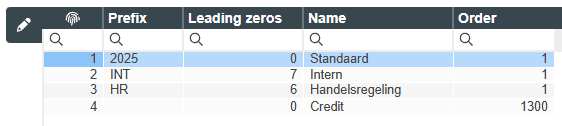
Please follow the steps below:
Select a line where a year is included in the prefix.
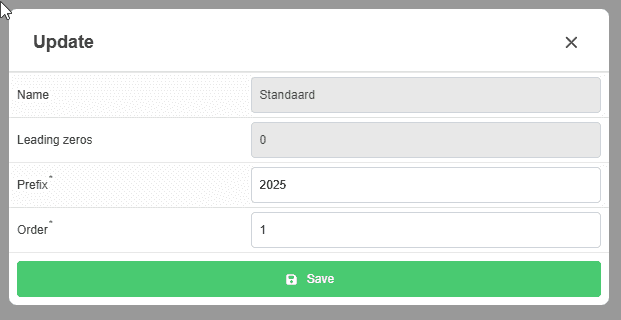
Click the pencil icon to open the edit screen.
Enter the new year 2026 (or 26) in the Prefix field.
Set the Sequence (first invoice number) field to 1, so the numbering starts at 20261.
Click Save to store the changes.
Repeat these steps for all invoice series that use a year in the prefix.
If you need any assistance, please contact our service desk. They will be happy to help you.