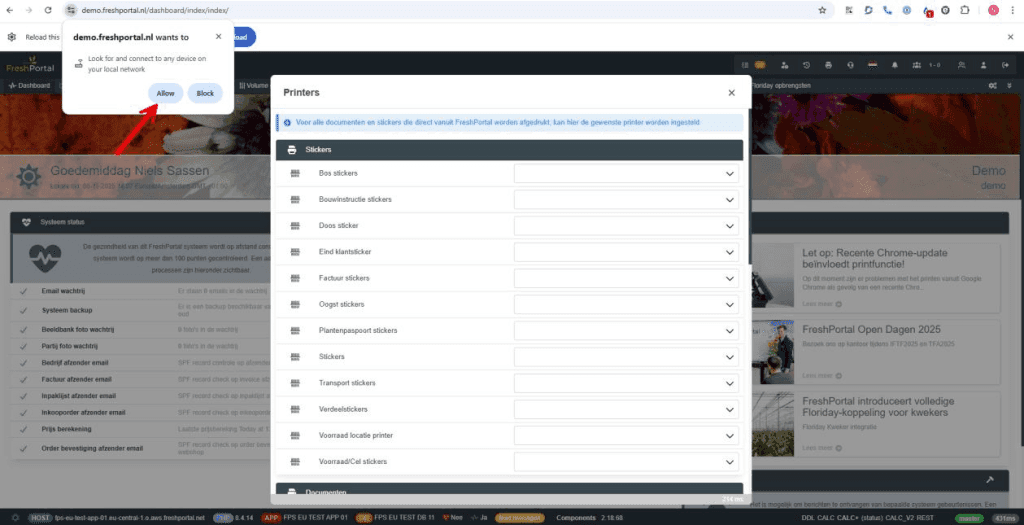
We are currently experiencing issues printing from Google Chrome due to a recent Chrome update.
Share this article
You don't need to make any changes to the broker. Here's a step-by-step explanation to fix this problem.
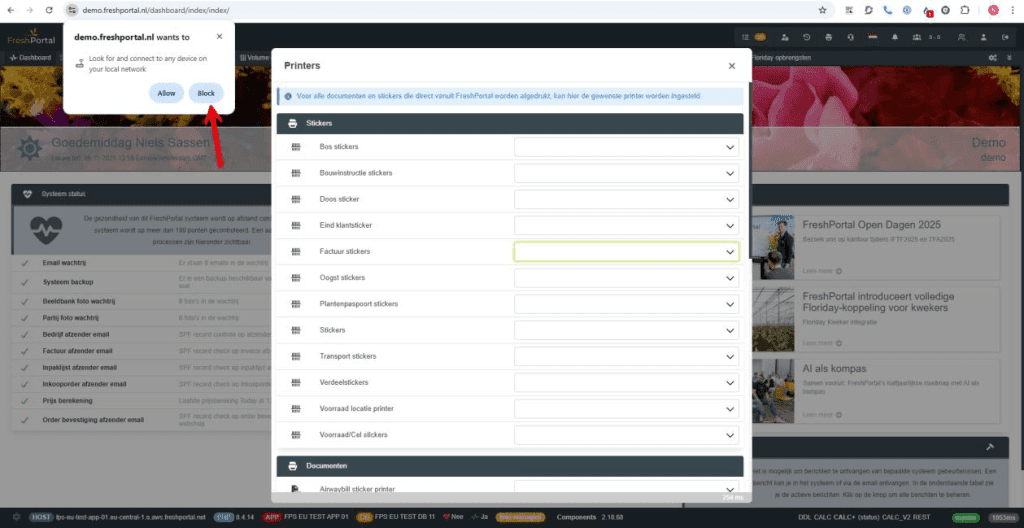
Users sometimes suddenly see the following message after Chrome has been updated and then click on "Block" to be safe. As a result, communication between Chrome and the Broker is no longer possible.
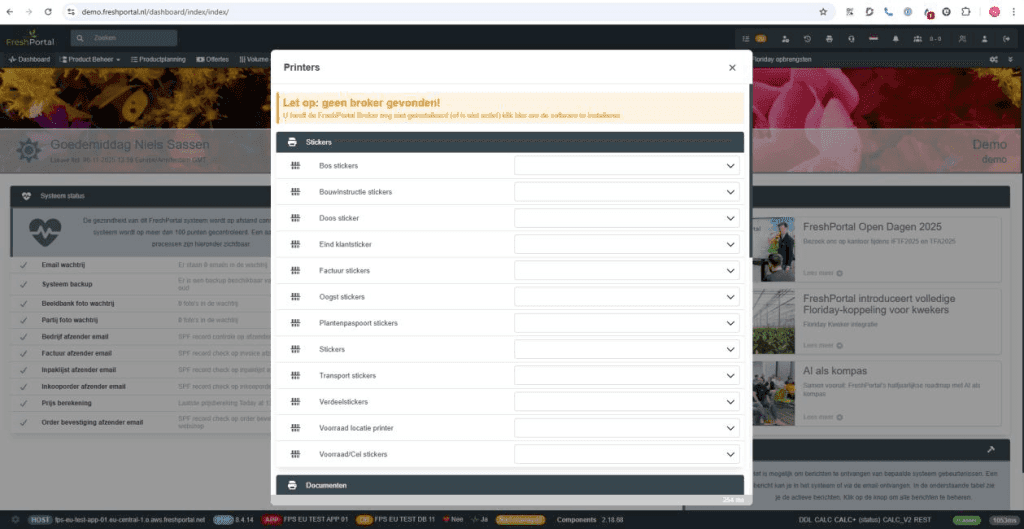
As a result, there continues to be a request to install the broker, even though it is already installed.
How to resolve this?
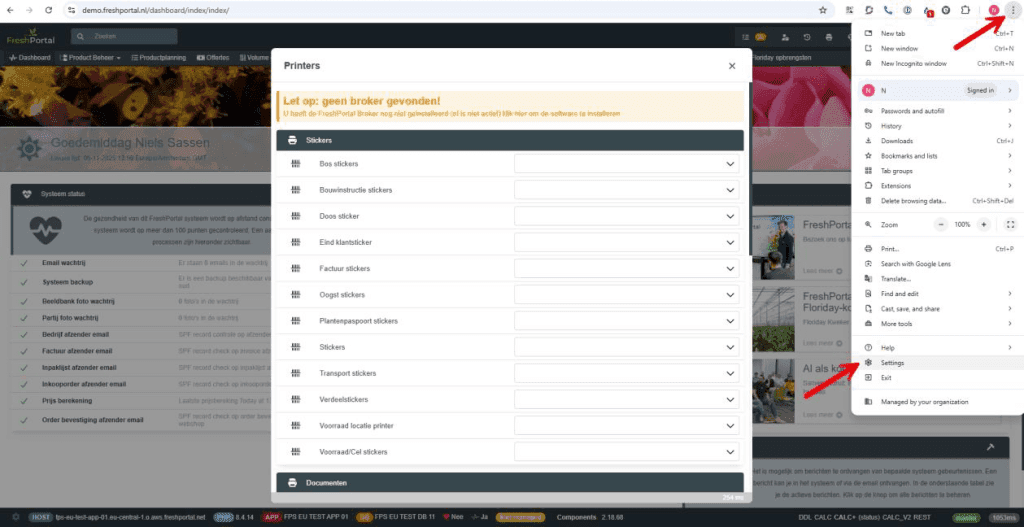
Click on the three dots in the top right corner and then click on "settings".
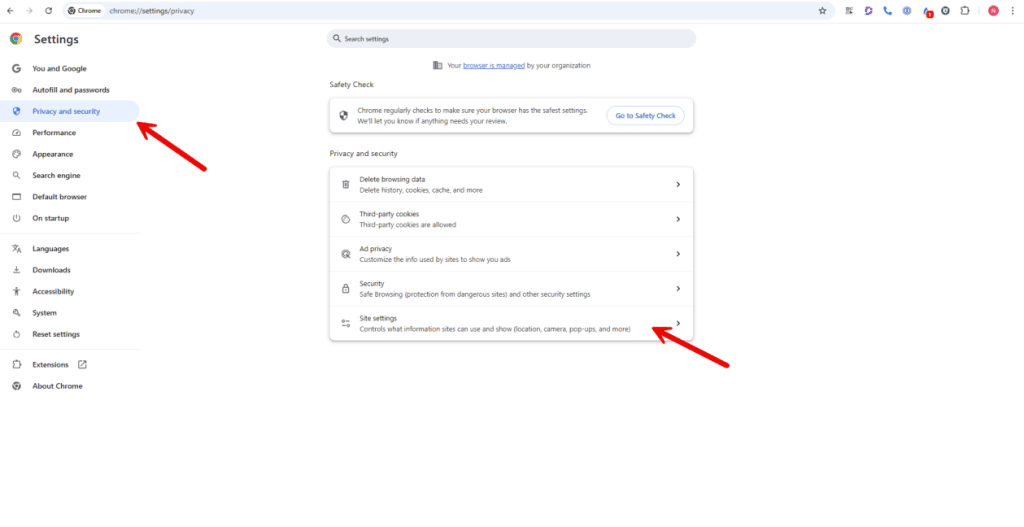
Then go to "Privacy and Security" and click on "Site settings"
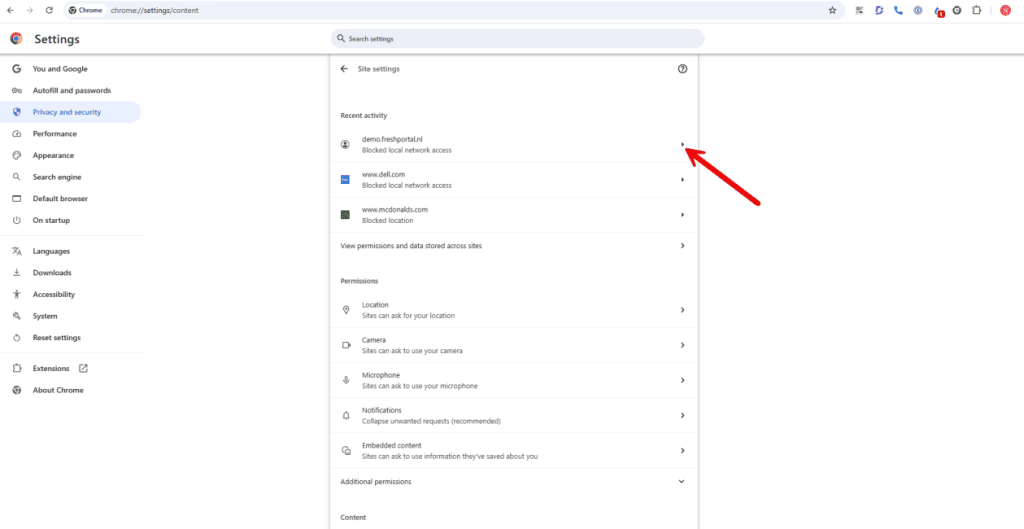
Here you can see under "Recent Activity" the URL of your system, and it says "blocked Local network access". Click the arrow on the right
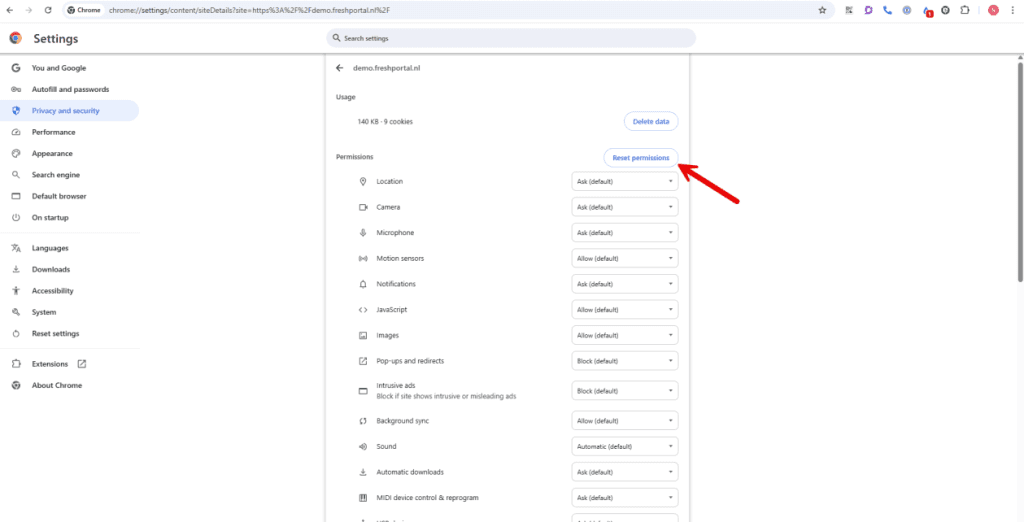
Then click on "Reset permissions" and confirm once more afterwards
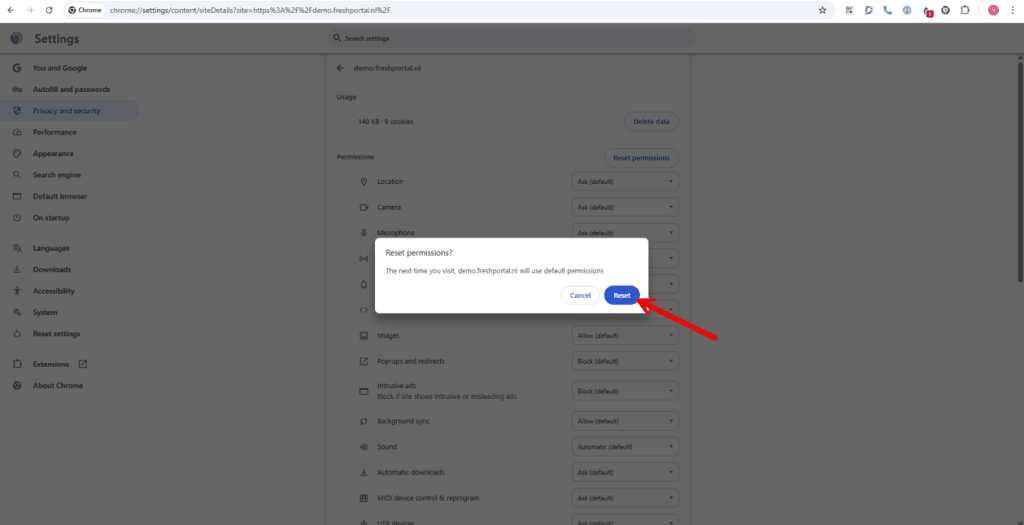
After this, you can close this tab and go to your system. Click on the printer icon and now you will see the popup again. Now click on "Allow" and everything should work again.